eSewa and Khalti users in Nepal can now update their National Identity Card (NID) details on their digital wallet apps
Nepal Rastra Bank (NRB) has directed that all customer information, including the details of national identity cards, be updated in their database.
Those who already have a National Identity Card or NID number can provide their details to eSewa or Khalti to update the information. Those yet to get an NID number can also update their information using the self-declaration option available on the eSewa app.
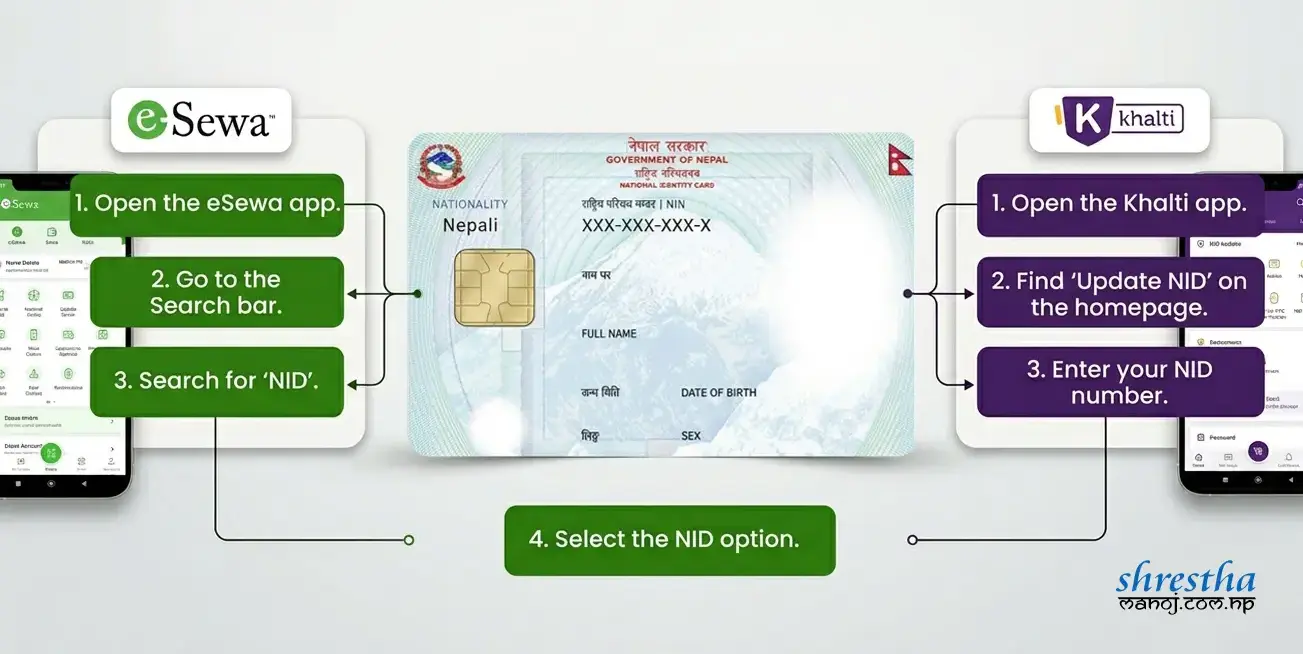
How to update the national identity card in eSewa?
- Open the eSewa app on your smartphone.Go to the Search bar.
- Search for “NID.”
- Select the NID option.
- If you have a National Identity Card or NID number, select “Yes, Update my details.”
If you have not applied, then select the option of ‘No, I don’t have one yet’. And, tap on the box and tap on the ‘Submit self-declaration’ button.
Note: This is only if you have not applied for a national ID card, or if you have not received an NID number after applying.
If you have an NID card or number, go to ‘Yes, update my details’ as mentioned above.
How to Update NID in Khalti
Khalti users can also update their National Identity Card information directly from the app.
- Open the Khalti app.
- Find “Update NID” on the homepage.
- Enter your NID number.
- Select your Province.
- Select your District.
- Select your Local Level.
- Enter your Ward Number.
- Tap Confirm.
After submitting the information, your Khalti account will go through the verification process.